Free TurboScribe Audio Transcription Online

TurboScribe converts audio and video into text in 98+ languages, with three free transcripts per day and an unlimited paid plan. Explore its upload limits, exports, and features, then compare it with TranscribeAudio.

Drag & drop your file here

Upload popular audio or video formats — up to 5 GB per file

Distinguish speakers

Choose whether the transcript should separate different speakers in the conversation.

Subtitle enhancement

Use AI to intelligently refine transcripts for greater clarity and readability.

TurboScribe logo
TurboScribeAI transcription service
  • 98+ transcription languages
  • Three free transcripts per day
  • 10-hour / 5 GB files on Unlimited
  • Speaker recognition and 134+ translation languages

Best suited to frequent transcription, long recordings, batch uploads, and multi-format exports.

What Is TurboScribe Audio Transcription?

TurboScribe is a web-based AI transcription service powered by Whisper. It turns uploaded audio and video into text in 98+ languages, identifies speakers, translates transcripts and subtitles, and provides document and caption exports. Its free plan allows three transcripts per day, with a 30-minute limit per file and one upload at a time. TurboScribe Unlimited raises the limit to 10 hours or 5 GB per file, supports batches of up to 50 files, and is listed at $10 per month when billed annually or $20 month to month.

A Free TurboScribe Alternative for Audio Transcription

TranscribeAudio is a free TurboScribe alternative for people who want to move from a recording to useful text without creating an account or managing a daily transcript allowance. It accepts uploaded audio and video, live browser recordings, and links from YouTube, X, Facebook, and Instagram, then keeps editable text, speaker labels, timestamps, summaries, translation, mind maps, and transcript Q&A in one workspace.

  • Transcribe in 200+ languages
  • Upload up to 5 GB, record online, or paste a social media link
  • Review, summarize, translate, and export in one workspace
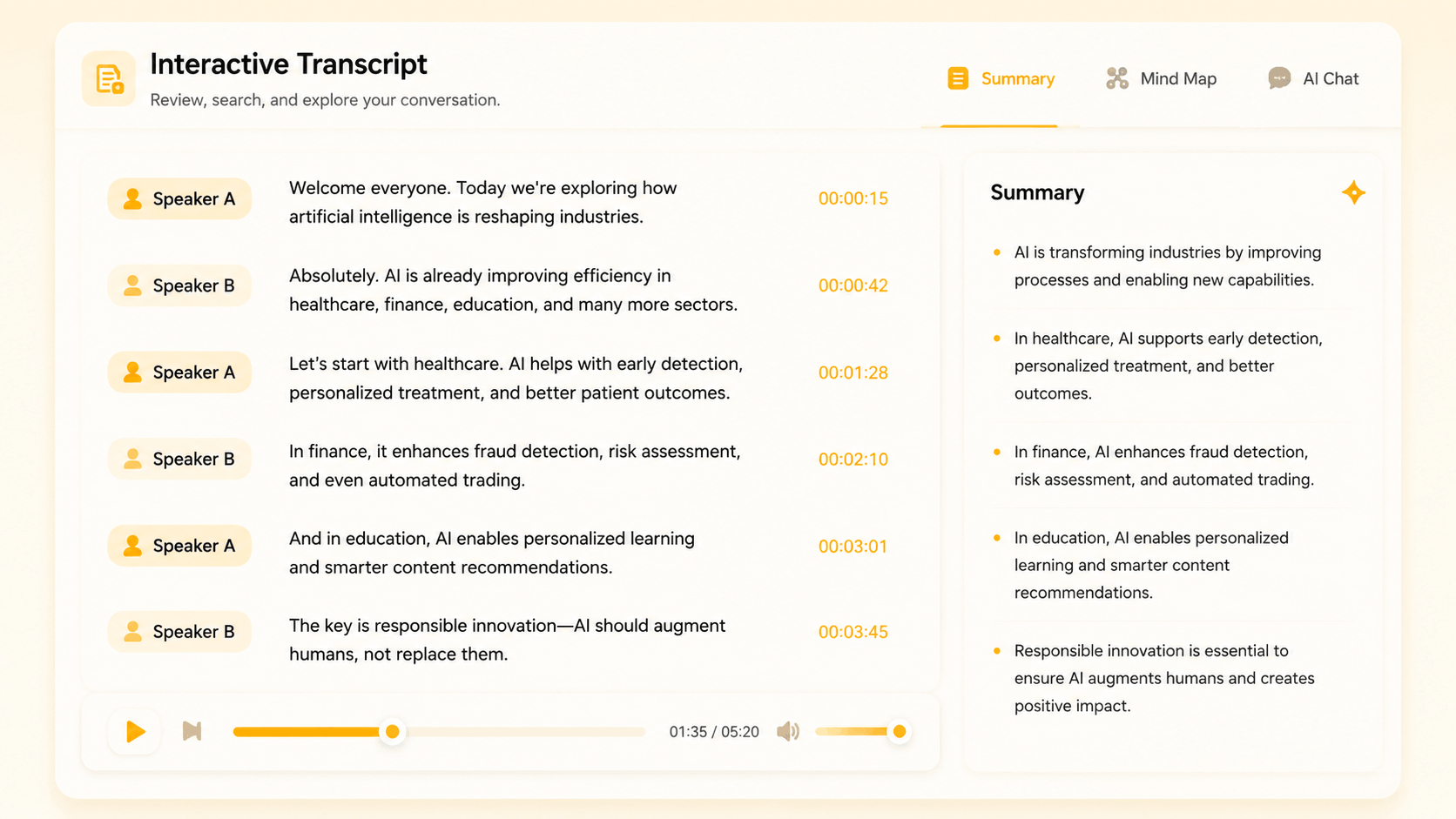
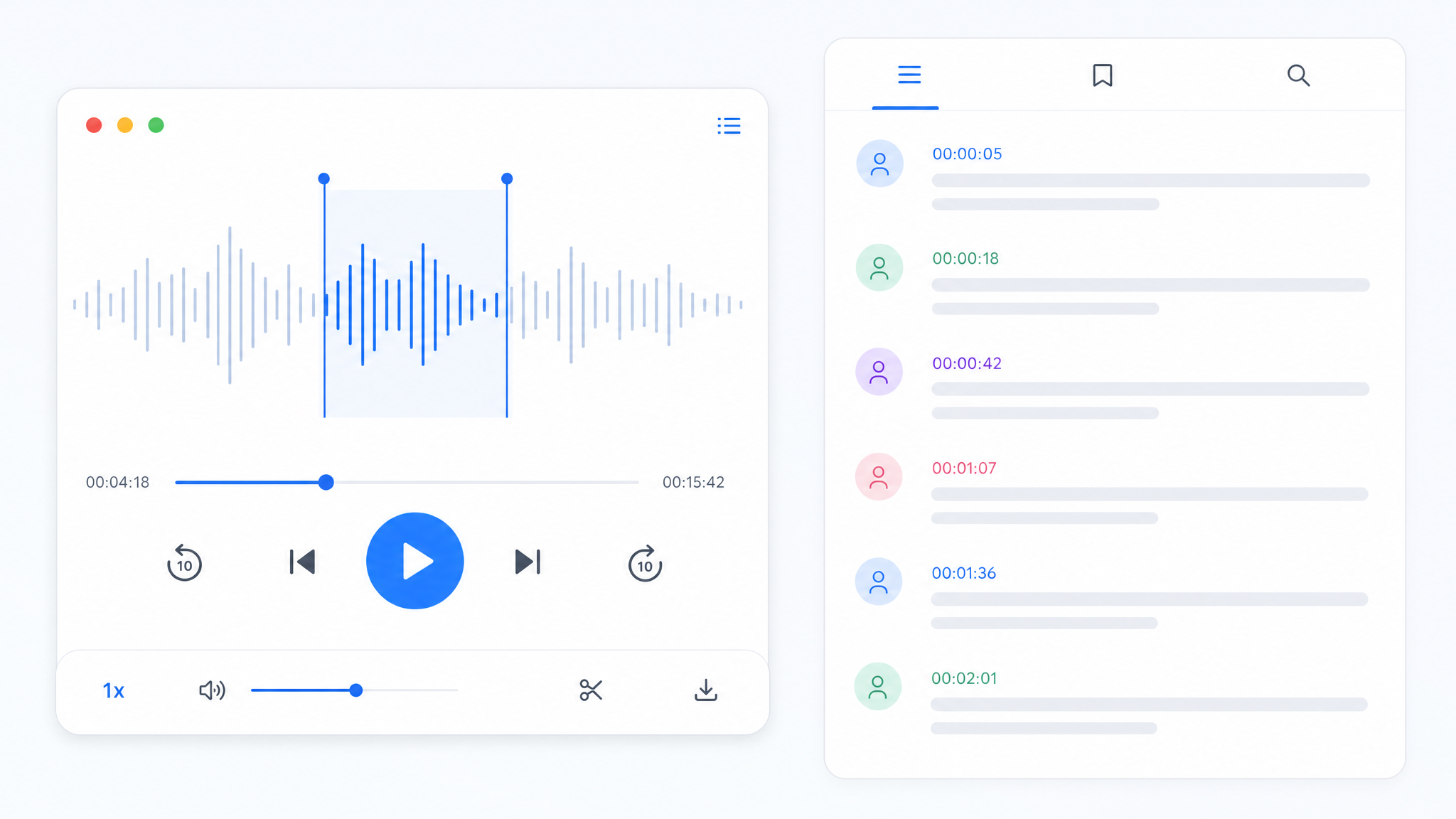
TranscribeAudio transcript workspace with speaker labels and timestamps

TurboScribe and TranscribeAudio at a Glance

Compare the practical differences before choosing the workflow that fits your recordings.

FeatureRecommended for files & linksTranscribeAudioTurboScribe
Free useFree, no account3 transcripts per day
Free file limitUp to 5 GB30 minutes per file
Sign-upNot requiredRequired
Input sourcesAudio, video, browser recording, YouTube, X, Facebook, InstagramAudio, video, YouTube
Transcription languages200+98+
Speaker labelsIncludedIncluded
Maximum paid uploadUp to 5 GB10 hours / 5 GB
Batch uploadsSingle workflowUp to 50 files on Unlimited
Pricing modelCompletely free$10/month annually or $20 monthly

TurboScribe is stronger for paid high-volume batches and broad export formats. TranscribeAudio is the simpler choice when you want to start without an account, work with more languages and social sources, and continue with built-in AI tools.

Why Try TranscribeAudio as a TurboScribe Alternative

As a TurboScribe alternative, TranscribeAudio removes the daily free-plan limit and gives you more ways to add a recording. The transcript, speaker labels, and AI tools stay in one workspace.

Free transcription without an account

TranscribeAudio lets you upload audio or video and start transcribing without creating an account or choosing a paid plan. It supports files up to 5 GB and transcription in 200+ languages.

TurboScribe's free plan requires an account and is limited to three transcripts per day, 30 minutes per file, and one upload at a time.

Free transcription200+ languages
Completely free200+ languagesNo account
Preparing your transcript in the workspace…
More ways to start a transcript

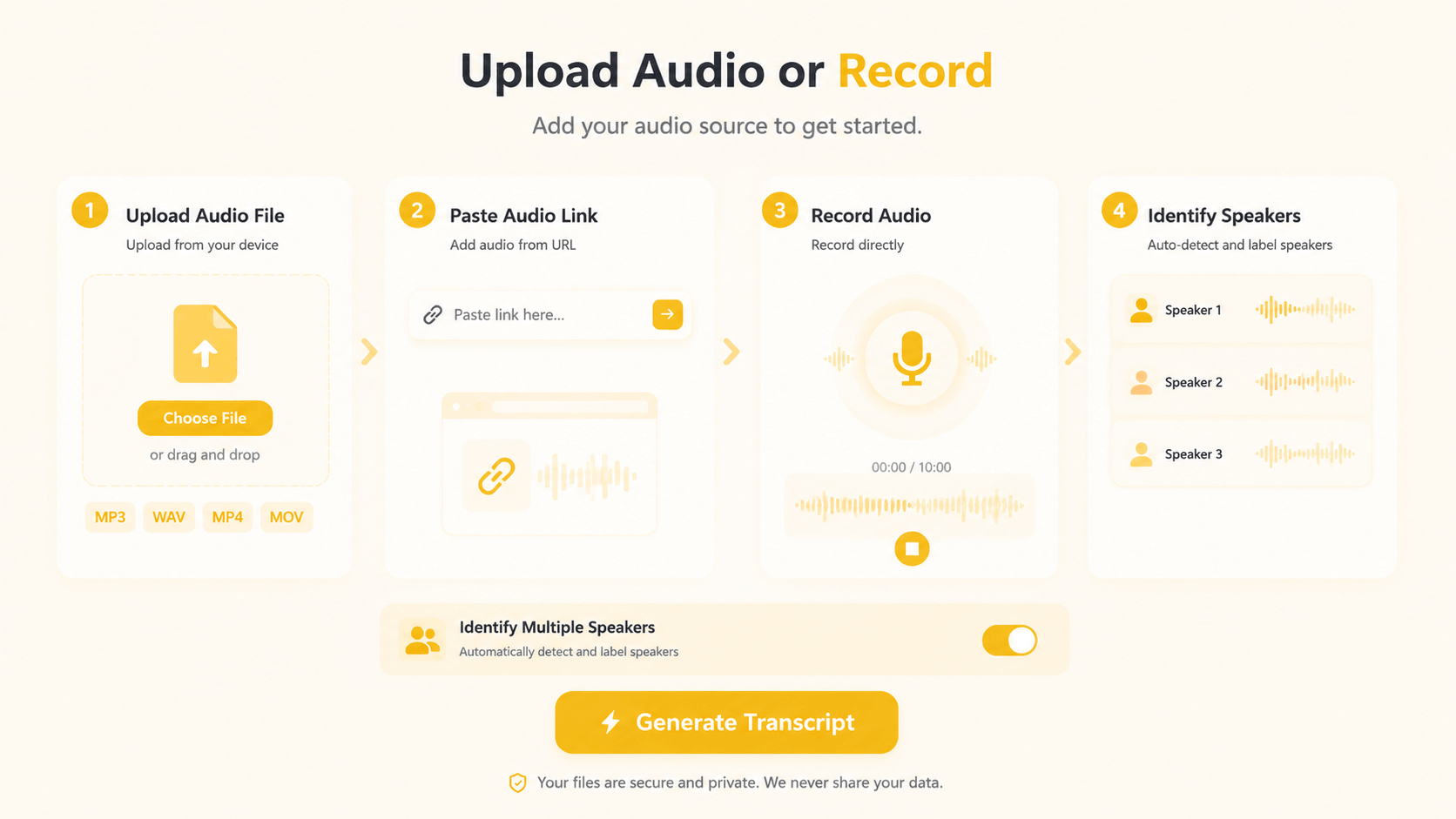
Upload audio or video, record live audio in your browser, or paste a link from YouTube, X (Twitter), Facebook, or Instagram. Every source opens in the same transcript workspace.

TurboScribe accepts uploaded audio and video and can import YouTube content. TranscribeAudio also lets you record in the browser and accepts direct links from more social platforms.

Flexible input sourcesFiles, recording, and links
5 GBFile uploads
LiveBrowser recording
4Social sources
#InputStatus
01
Upload audio or videoPopular formats · Up to 5 GB
Ready
02
Record in the browserLive audio · No extra app
Built in
03
YouTube URLPaste a public video link
Supported
04
X, Facebook, InstagramDirect social video links
Supported

A complete workspace after transcription

Turn speech into editable text with timestamps and optional speaker labels. You can then create a summary, translate the transcript, build a mind map, ask questions about the content, or export the text as a TXT file.

TurboScribe is stronger for batches of up to 50 files and DOCX, PDF, CSV, SRT, and VTT exports. TranscribeAudio focuses on a free workflow with its AI tools in one place.

Transcript workspaceBuilt-in AI tools
SpeakersTimestampsSummaryTranslateMind mapAsk AI
200+ transcription languagesTranslate after transcriptionIncluded
TXT transcript exportDownload the completed transcriptReady

What Makes TranscribeAudio a Useful TurboScribe Alternative

Start without an account

Open the tool, add your recording, and transcribe. There is no sign-up step or shared credit balance to manage.

Keep the whole workflow together

Edit the transcript, translate it, create an AI summary or mind map, and ask questions without moving between tools.

Transcribe files and social media links

Upload audio or video up to 5 GB, record online, or paste a link from YouTube, X, Facebook, or Instagram.

Cover more spoken languages

Transcribe speech in 200+ languages when your recordings extend beyond TurboScribe's 98+ language catalog.

Review conversations clearly

Add speaker recognition before transcription, then follow each speaker with labels and timestamps in the finished text.

Work with complete large files

Add a recording up to 5 GB without first fitting it into a 30-minute free-file allowance or a daily transcript quota.

Transcribe in three simple steps

No setup or subscription decision is needed before your first transcript.

Upload audio or video to TranscribeAudio
01

Add audio, video, or a social link

Upload a local file, record audio online, or paste a link from YouTube, X, Facebook, or Instagram. Choose speaker recognition when the recording contains a conversation.

Use AI tools and export the finished transcript
03

Summarize, translate, or export

Download the transcript as TXT, translate it, create a summary or mind map, or continue exploring the content with Ask AI.

Your next transcript can start now

Upload audio or video, record online, or paste a social media link. No account, no subscription decision, no setup.

Transcribe for free TranscribeAudio is independent and is not affiliated with, endorsed by, or sponsored by TurboScribe. Product details and prices were checked against TurboScribe's public website and may change.

TurboScribe alternative FAQ

Everything you need to compare the two approaches.

What is the best free TurboScribe alternative?

TranscribeAudio is a practical alternative when you want to transcribe uploaded audio or video, record online, or process social media links without creating an account. It includes speaker labels, timestamps, and built-in AI tools for summaries, translation, mind maps, and transcript Q&A.

Is TranscribeAudio really free?

Yes. Core transcription is free and you can begin without signing up. Files up to 5 GB are supported.

Does it identify different speakers?

Yes. Enable speaker recognition before transcription and the result will group dialogue by speaker with timestamps.

Can I transcribe YouTube and social media videos?

Yes. TranscribeAudio accepts direct links from YouTube, X (Twitter), Facebook, and Instagram, then turns the video's audio into a readable transcript.

When is TurboScribe the better choice?

TurboScribe is a strong fit when you regularly process a large backlog, need batch uploads of up to 50 files, or want DOCX, PDF, CSV, SRT, and VTT exports from one paid transcription service.

How does TurboScribe's free plan compare?

TurboScribe offers three free transcripts per day, with each file limited to 30 minutes and one file uploaded at a time. TranscribeAudio lets you start without an account and supports files up to 5 GB.

Is TurboScribe really unlimited?

TurboScribe says its Unlimited plan has no overall usage cap for an individual account. It also states that the system is designed for at least 720 hours per month, while unusually heavy use may require following its high-volume guidance.